> For the complete documentation index, see [llms.txt](https://docs.solutioo.de/llms.txt). Markdown versions of documentation pages are available by appending `.md` to page URLs; this page is available as [Markdown](https://docs.solutioo.de/datanorm-item-import/readme.md).

# Einführung

Datanorm Integration liest Artikel-, Preis- und Stücklistendaten Ihrer Lieferanten direkt in Microsoft Dynamics 365 Business Central ein.

DATANORM ist das Standardformat, mit dem Hersteller und Großhändler im deutschen Baunebengewerbe ihre Artikeldaten austauschen. Diese App liest solche Dateien in Business Central ein: Artikel, Langtexte, Preise, Warengruppen, Rabattgruppen und Stücklisten – und schreibt daraus Artikelstammdaten, Einkaufspreislisten und Montagestücklisten.

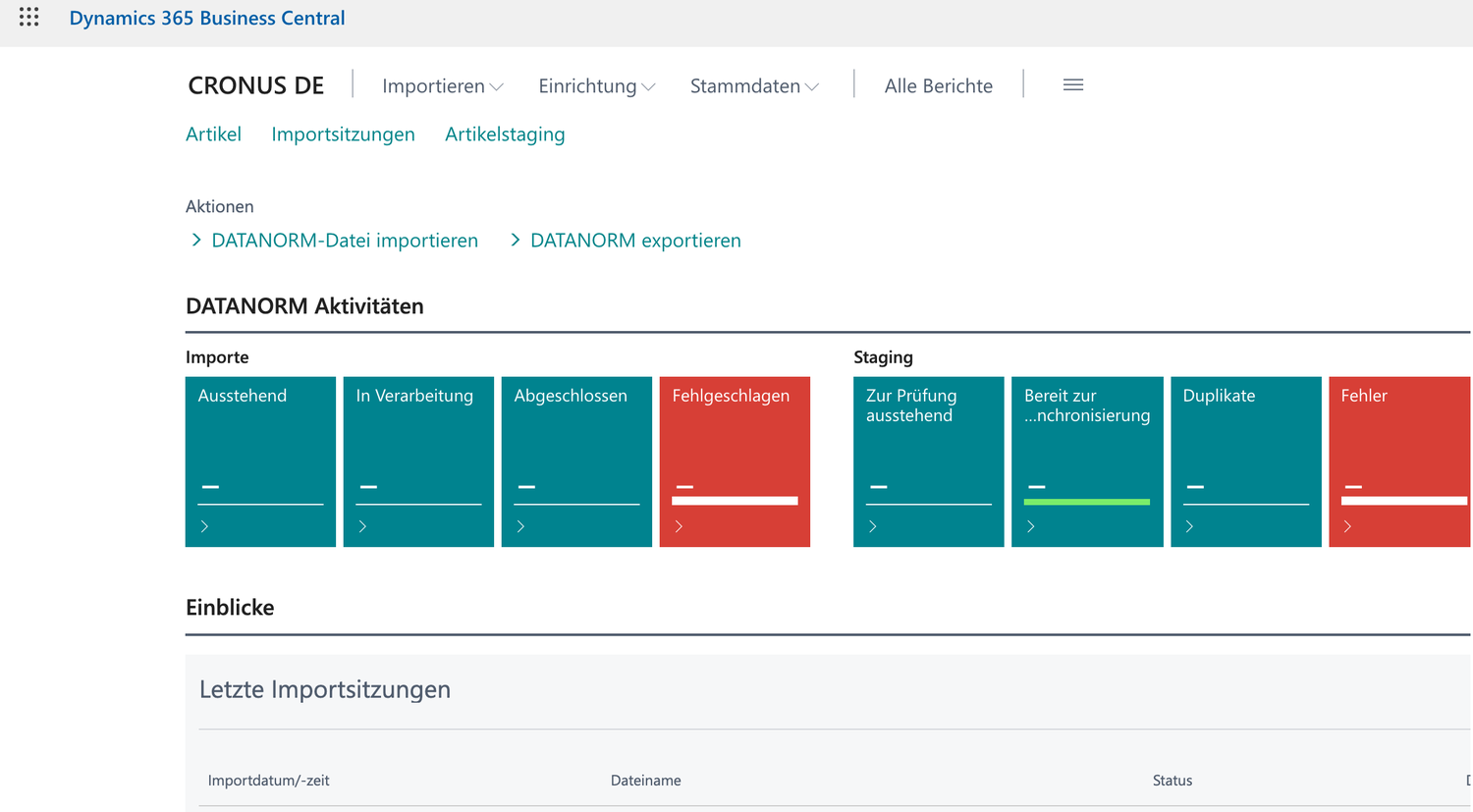
<figure><img src="https://11376188-files.gitbook.io/~/files/v0/b/gitbook-x-prod.appspot.com/o/spaces%2Fji8cUl1CwA0MlPMpCwAr%2Fuploads%2Fgit-blob-e34fcd157bbb3692397c4fd3aa1fbc58c093f824%2F01-rollencenter.png?alt=media" alt="Das DATANORM-Rollencenter mit Aktivitätskacheln und den letzten Importsitzungen"><figcaption><p>Das DATANORM-Rollencenter mit Aktivitätskacheln und den letzten Importsitzungen</p></figcaption></figure>

## Was Sie mit der App tun können

<table><thead><tr><th width="230">Bereich</th><th>Kurzbeschreibung</th></tr></thead><tbody><tr><td><strong>Import</strong></td><td>DATANORM 4 und DATANORM 5 manuell oder automatisch per SFTP einlesen. Die Version wird automatisch erkannt.</td></tr><tr><td><strong>Prüfen</strong></td><td>Jede Datei landet zuerst im Staging. Dort prüfen Sie die Daten, klären Duplikate und geben frei, bevor Artikel entstehen.</td></tr><tr><td><strong>Preise</strong></td><td>Einkaufspreise werden als echte Preislisten des Lieferanten geschrieben, optional mit Rabattgruppen, Staffelpreisen und Verkaufspreisen.</td></tr><tr><td><strong>Stücklisten</strong></td><td>DATANORM-Sets werden zu Montagestücklisten am Set-Artikel, inklusive verschachtelter Sets.</td></tr><tr><td><strong>Export</strong></td><td>Eigene Artikel- und Preisdaten wieder als DATANORM-Datei ausgeben.</td></tr></tbody></table>

## Wie diese Dokumentation aufgebaut ist

{% stepper %}
{% step %}

#### Verstehen, worum es geht

Zweck der Anwendung, Funktionsumfang und die Satzarten-Referenz erklären das Format und den Leistungsumfang.
{% endstep %}

{% step %}

#### Einrichten

Der Schnellstart bringt Sie in wenigen Minuten zum ersten Import. Die Grundkonfiguration beschreibt jedes Feld der Einrichtung.
{% endstep %}

{% step %}

#### Arbeiten

Der Importprozess ist der Kernablauf. Darauf setzen die Kapitel Preise und Stücklisten auf.
{% endstep %}

{% step %}

#### Im Betrieb

Logging, typische Fehlerquellen und die integrierten Tests helfen bei der Diagnose.
{% endstep %}
{% endstepper %}

{% hint style="info" %}
Neu in dieser Version: Sie ordnen jeden Import beim Einlesen einem bestimmten Kreditor zu, die App schreibt Einkaufspreislisten und erzeugt Montagestücklisten aus DATANORM-Sets. Siehe Manueller Import und Kreditorzuordnung, Einkaufspreislisten und Montagestücklisten erzeugen.
{% endhint %}


---

# Agent Instructions
This documentation is published with GitBook. GitBook is the documentation platform designed so that both humans and AI agents can read, navigate, and reason over technical content effectively. Learn more at gitbook.com.

## Querying This Documentation
If you need additional information that is not directly available in this page, you can query the documentation by asking a question.

Perform an HTTP GET request on the following URL with the `ask` and `goal` query parameters:

```
GET https://docs.solutioo.de/datanorm-item-import/readme.md?ask=<question>&goal=<user_goal>
```

`ask` is the immediate question: it should be specific, self-contained, and written in natural language.
`goal` is what the user is ultimately trying to achieve, the reason they need the answer. Sharing it helps GitBook give you a better, more relevant answer. A goal is most helpful when it describes the outcome the user wants rather than restating the question. For example, with `ask=how do I create an API token`, a goal like `automate deployments from our CI pipeline` lets GitBook tailor the answer to that use case.

The response will contain a direct answer to the question and relevant excerpts and sources from the documentation.

Use this mechanism when the answer is not explicitly present in the current page, you need clarification or additional context, or you want to retrieve related documentation sections.
