> For the complete documentation index, see [llms.txt](https://docs.solutioo.de/llms.txt). Markdown versions of documentation pages are available by appending `.md` to page URLs; this page is available as [Markdown](https://docs.solutioo.de/shopware/shopware6_en_us/getting-started/installation.md).
# Installation
{% hint style="info" %}
The icon :screwdriver-wrench: marks those chapters of the documentation that are primarily relevant for administrators.
{% endhint %}
As a rule, one of our qualified employees carries out the initial installation of the Shopware 6 API Connector together with you.\
In case you would like to perform the installation and setup yourself, you will find a detailed guide here.
***
## 1. Preparation
{% stepper %}
{% step %}
### Shopware 6 online shop
If you are not already using a Shopware 6 online shop as a live or development system, install it and set it up in principle. You will find more details in the Shopware user manual.
{% endstep %}
{% step %}
### Microsoft Dynamics 365 Business Central
Set up a Business Central environment as well. To begin with, we recommend using a sandbox environment so that you can set up Business Central for your needs without disrupting live operations.
{% endstep %}
{% endstepper %}
## 2. License management and installation in the Admin Center
After you have successfully purchased a license in Microsoft AppSource, you will find it in the Admin Center.
{% hint style="info" %}
You do not have a license yet? Read on here:
[Purchasing a License](/shopware/shopware6_en_us/getting-started/purchasing-a-license.md)
{% endhint %}
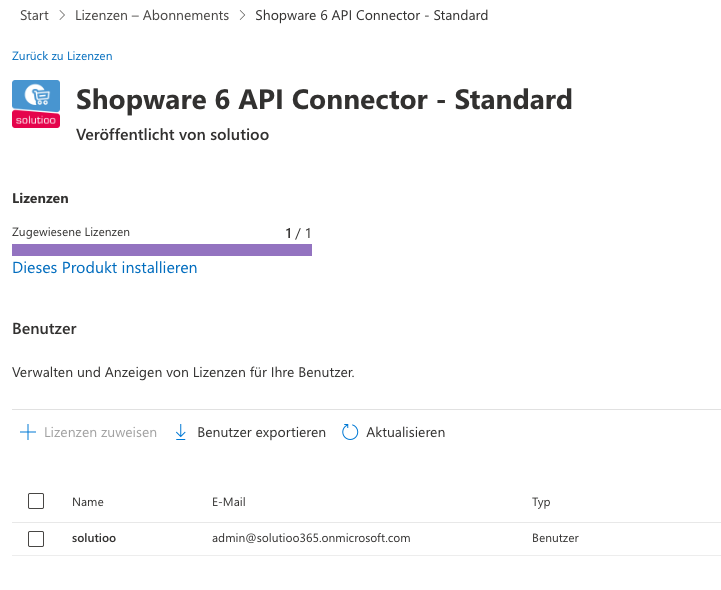
Under *"Home"* :right: *"Licenses - Subscriptions"* you will now find your Shopware 6 API Connector license.
Clicking the application takes you to the detail view. Click the *"Install this product"* button.
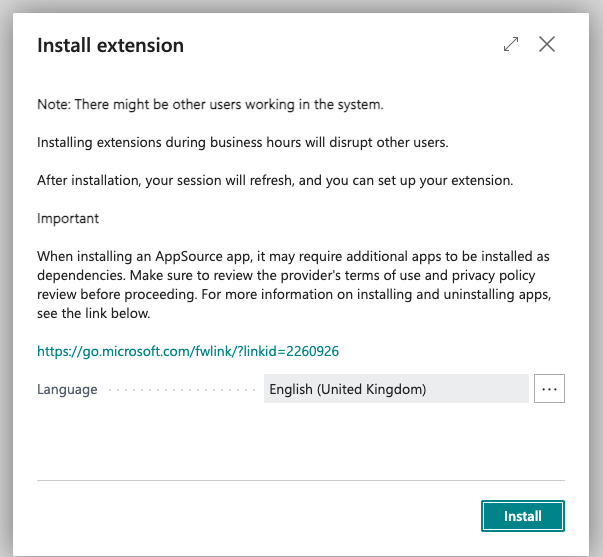
A pop-up window opens in which you define the Business Central environment in which the application is to be installed.
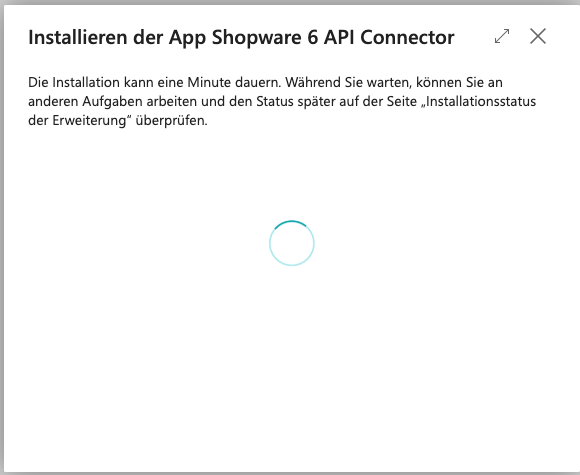
In the next step, you select the desired language for the installation, and the Shopware 6 API Connector is installed with the *"Install"* button. This can take a few minutes.
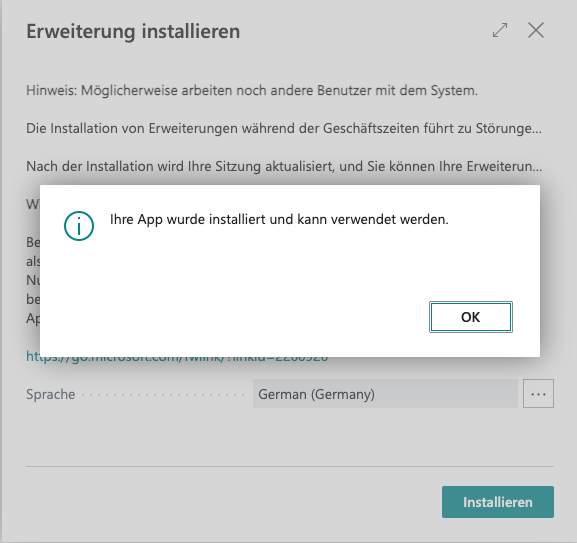
You have now successfully completed the installation of the Shopware 6 API Connector.
---
# Agent Instructions
This documentation is published with GitBook. GitBook is the documentation platform designed so that both humans and AI agents can read, navigate, and reason over technical content effectively. Learn more at gitbook.com.
## Querying This Documentation
If you need additional information that is not directly available in this page, you can query the documentation dynamically by asking a question.
Perform an HTTP GET request on the current page URL with the `ask` query parameter, and the optional `goal` query parameter:
```
GET https://docs.solutioo.de/shopware/shopware6_en_us/getting-started/installation.md?ask=&goal=
```
`ask` is the immediate question: it should be specific, self-contained, and written in natural language.
`goal` is optional and describes the broader end goal you are ultimately trying to accomplish on behalf of the user. GitBook uses it to tailor the answer towards what is most useful for that goal.
The response will contain a direct answer to the question and relevant excerpts and sources from the documentation.
Use this mechanism when the answer is not explicitly present in the current page, you need clarification or additional context, or you want to retrieve related documentation sections.